Puppet Module of the Week: maestrodev/maven – Maven repository artifact downloads

This is a guest post I wrote in the Puppetlabs blog for their Module of the Week program about the MaestroDev/maven module we created.

Module of the Week: maestrodev/maven – Maven repository artifact downloads

Purpose Manage Apache Maven installation and download artifacts from Maven repositories
Module maestrodev/maven
Puppet Version 2.7+
Platforms RHEL5, RHEL6

The maven module allows Puppet users to install and configure Apache Maven, the build and project management tool, as well as easily use dependencies from Maven repositories.

If you use Maven repositories to store the artifacts resulting from your development process, whether you use Maven, Ivy, Gradle or any other tool capable of pushing builds to Maven repositories, this module defines a new maven type that will let you deploy those artifacts into any Puppet managed server. For instance, you can deploy WAR files directly from your Maven repository by just using their groupId, artifactId and version, bridging development and provisioning without any extra steps or packaging like RPMs or debs.

The maven type allows you to easily provision servers during development by using SNAPSHOT versions—using the latest build for provisioning. Together with a CI tool, this enables you to always keep your development servers up to date.

In this first version, this module supports

  • Installing Apache Maven
  • Configuring Maven settings.xml for repository configuration
  • Configuring Maven environment variables
  • Downloading artifacts from Maven repositories

Installing the module

Complexity Easy
Installation Time 2 minutes

Installing the Maven module is as simple as using the Puppet module tool, available in Puppet 2.7.14+ and Puppet Enterprise 2.5+, and also available as a RubyGem:

$ puppet module install maestrodev-maven
Preparing to install into /etc/puppet/modules ...
Downloading from http://forge.puppetlabs.com ...
Installing -- do not interrupt ...
/etc/puppet/modules
└─┬ maestrodev-maven (v0.0.1)
  └── maestrodev-wget (v0.0.1)

Alternatively, you can install the Maven module manually:

$ cd /etc/puppet/modules/

$ wget http://forge.puppetlabs.com/system/releases/m/maestrodev/maestrodev-maven-0.0.1.tar.gz

$ tar zxvf maestrodev-maven-0.0.1.tar.gz && rm maestrodev-maven-0.0.1.tar.gz
$ mv maestrodev-maven-0.0.1 maven
$ wget http://forge.puppetlabs.com/system/releases/m/maestrodev/maestrodev-wget-0.0.1.tar.gz
$ tar zxvf maestrodev-wget-0.0.1.tar.gz && rm maestrodev-wget-0.0.1.tar.gz
$ mv maestrodev-wget-0.0.1 wget

Resource Overview

CLASSES

maven class

This class installs Apache Maven with a default version of 2.2.1

maven::maven class

Installs Apache Maven, allowing you to specify the version of Maven you wish to install

DEFINITIONS

maven::environment

The definition allows us to configure Apache Maven environment variables on a per-user basis.

maven::settings

Configures $HOME/.m2/settings.xml per user with repositories, mirrors, credentials and properties.

TYPES

maven

This new type lets us download files from remote Maven repositories. Maven must be previously installed.

Testing the module

The module includes some Puppet rspec tests that use the puppetlabs_spec_helper, so it’s simple to implement, and all the fixtures will be automatically downloaded and tests run.

There is a Gemfile included to install all the dependent gems, so after running

$ bundle install

The tests can be executed with

$ bundle exec rake spec

Configuring the module

Complexity Easy
Installation Time 5 minutes

To install Maven there are two options, a simple one to install the default version (2.2.1):

include maven

or a slightly more complex option that customizes the version:

class { "maven::maven":
  version => "3.0.4"
}

Maven will be downloaded by default from the main Apache archive location. It can be configured to be downloaded from a different repository, like one in the local network, by using this repository syntax used throughout the module.

$repo = {
  id       => "myrepo",
  username => "myuser",
  password => "mypassword",
  url      => "http://repo.acme.com",
  mirrorof => "external:*" # if you want to use the repo as a mirror, see maven::settings below
}

class { "maven::maven":
  version => "3.0.4",
  repo    => $repo
}

Once you have Maven installed you can configure the Maven settings.xml for different users, override the mirrors, servers, localRepository, active properties and default repository. It is particularly useful to force Maven to use a repository in the internal network for faster downloads. These settings are used by both command line Maven and the maven puppet type.

We are using hashes to be able to reuse repository definitions, without copy and paste, like the $repo definition above.

# Create a settings.xml with the repo credentials
maven::settings { 'maven' :
  mirrors             => [$central], # mirrors entry in settings.xml, uses id, url, mirrorof from the hash passed
  servers             => [$central], # servers entry in settings.xml, uses id, username, password from the hash passed
  user                => 'maven',
  default_repo_config => {
    url       => $repo['url],
    snapshots => {
      enabled      => 'true',
      updatePolicy => 'always'
    },
    releases  => {
      enabled      => 'true',
      updatePolicy => 'always'
    }
  }
  properties          => {
    myproperty => 'myvalue'
  },
  local_repo          => '/home/maven/.m2/repository'
}

We can override the central repository with mirrors, whichb add repositories to the mirrors settings. The servers parameter configures each settings.xml server entry for user and password credentials.

With default_repo_config, we can add a repository that will be enabled for all Maven executions, including the aven puppet type. That would be necessary in order to check a remote repository for snapshots, as there is no snapshot repository defined by default in Maven.

The properties parameter is a hash with keys and values for the properties section of the settings, while local_repo overrides Maven default local repository location.

Another Maven file that can be configured to alter the Maven environment variables is $HOME/.mavenrc with the maven::environment class. The .mavenrc is sourced by the Apache Maven script for each run.

maven::environment { 'env-maven-user' :
  user                 => 'maven',
  maven_opts           => '-XX:MaxPermSize=256m',
  maven_path_additions => '/usr/local/bin'
}

Probably the module’s most useful functionality is the ability to download artifacts from Maven repositories. This requires having Maven correctly installed and configured, which can be done with the previous classes and definitions, and uses the Maven dependency:get plugin behind the scenes. The title of the maven resource is used as the file destination, and the user to run maven as can be set with the user parameter.

maven { "/tmp/maven-core-2.2.1.jar":
  id    => "org.apache.maven:maven-core:2.2.1:jar",
  repos => ["central::default::http://repo.maven.apache.org/maven2","http://mirrors.ibiblio.org/pub/mirrors/maven2"],
  user  => "maven",
}

With the optional parameter repos, we can define what repositories to download the dependencies from if not using the default Maven central. The parameter is in the form expected by the Maven dependency plugin, that is id::[layout]::url or just url, separated by a comma.

Or, a little more verbose:

maven { "/tmp/maven-core-2.2.1-sources.jar":
  groupid    => "org.apache.maven",
  artifactid => "maven-core",
  version    => "2.2.1",
  classifier => "sources",
  packaging  => "jar",
  user       => "maven",
}

Example usage

With some simple declarations we can install Maven in a node, downloading the Apache Maven binaries from apache.org and uncompressing them under /usr/local, and then download any file from the central Maven repo. An example is maven-core-2.2.1.jar, which is located in the repository under org.apache.maven groupId and maven-core artifactId.

# Install Maven
class { "maven::maven": } ->

maven { "/tmp/maven-core-2.2.1.jar":
  id => "org.apache.maven:maven-core:2.2.1:jar",
}

The usage of the shorter form groupId:artifactId:version:packaging allows us to be more concise, but we could do the same using the groupid, artifactid, version, packaging parameters of the maven type. Note that we are using the chain arrow (->) to explicitly install Maven before using it to download the jar file.

You should have a /tmp/maven-core-2.2.1.jar file with contents matching those of http://repo.maven.apache.org/maven2/org/apache/maven/maven-core/2.2.1/maven-core-2.2.1.jar.

Conclusion

If you use Apache Maven this module comes in handy for installing and configuring it on any machine in a consistent and repeatable way. This module also consumes the output artifacts from the development process in later stages of product delivery without extra steps or re-packaging.

Please let us know if you have any issues with the module. We are looking for new ways to improve the module, such as removing the need for wget to be installed. We look forward to your feedback!

Learn More:

Puppet for Java developers talk at JavaZone Oslo 2012

I am in Oslo right now speaking at JavaZone about Puppet for Java developers covering some of the basics but then getting into using Vagrant, Puppet and Puppet modules, to manage maven dependencies, postgresql, tomcat, and apache as examples.

The sample code showcases how to effectively use Puppet and modules, with unit testing and testing with Vagrant.

Update: The video is now up. Run a bit short on time and didn’t have as much time as I wanted for the demo but hopefully the sample code is useful to understand the tools involved.

Puppet is an infrastructure-as-code tool that allows easy and automated provisioning of servers, defining the packages, configuration, services,… in code. Enabling DevOps culture, tools like Puppet help drive Agile development all the way to operations and systems administration, and along with continuous integration tools like Jenkins, it is a key piece to accomplish repeatability and continuous delivery, automating the operations side during development, QA or production, and enabling testing of systems configuration.
Traditionally a field for system administrators, Puppet can empower developers, allowing both to collaborate coding the infrastructure needed for their developments, whether it runs in hardware, virtual machines or cloud. Developers and sysadmins can define what JDK version must be installed, application server, version, configuration files, war and jar files,… and easily make changes that propagate across all nodes.
Using Vagrant, a command line automation layer for VirtualBox, they can also spin off virtual machines in their local box, easily from scratch with the same configuration as production servers, do development or testing and tear them down afterwards.
We’ll show how to install and manage Puppet nodes with JDK, multiple application server instances with installed web applications, database, configuration files and all the supporting services. Including getting up and running with Vagrant and VirtualBox for quickstart and Puppet experiments, as well as setting up automated testing of the Puppet code.

Cheap backups with Amazon Glacier

Last week Amazon announced Amazon Glacier, where you can have files stored at $0.01 per GB / month, quite a good deal, considering that S3 goes for $0.093 GB/month with reduced redundancy, or Dropbox at its best is 0.825/GB committing to 100GB for a full year, although obviously they fill very different use cases.

To get that pricing there are some drawbacks that make it only useful for storing files that don’t need to be retrieved often, ie. backups for disaster recovery. Downloading or listing files in Glacier take more than 4 hours, so that gives you an idea. Behind the scenes it uses Amazon SQS (Simple Queue Service) and SNS (Simple Notification Service) to handle the download and inventory requests, so you can do extra things like getting emails when your requests are ready.

I have created glacier-cli using the Java API to upload, download, delete and list files stored in Glacier from the command line, as Amazon only provides the APIs for now and some examples. Make sure you save the output when uploading the files, as you will need the ids of the files later on when you need to download them.

Get the code from GitHub.

Glacier-CLI

Building

mvn clean package

Configuration

Create $HOME/AwsCredentials.properties with your AWS keys

secretKey=…
accessKey=…

Commands

  • upload vault_name file1 file2 …
  • download vault_name archiveId output_file
  • delete vault_name archiveId
  • inventory vault_name

Command line options

 -output <file_name>   File to save the inventory to. Defaults to 'glacier.json'
 -queue <queue_name>   SQS queue to use for inventory retrieval. Defaults to 'glacier'
 -region <region>      Specify URL as the web service URL to use. Defaults to 'us-east-1'
 -topic <topic_name>   SNS topic to use for inventory retrieval. Defaults to 'glacier'

Examples

Upload file1 and file2 to vault pictures

java -jar glacier-1.0-jar-with-dependencies.jar upload pictures file1 file2

Download archive with id xxx from vault pictures to file pic.tar (takes >4 hours)

java -jar glacier-1.0-jar-with-dependencies.jar download pictures xxx pic.tar

Delete archive with id xxx from vault pictures

java -jar glacier-1.0-jar-with-dependencies.jar delete pictures xxx

Get the inventory for vault pictures (takes >4 hours)

java -jar glacier-1.0-jar-with-dependencies.jar inventory pictures

Upload file1 and file2 to vault pictures in Europe region

java -jar glacier-1.0-jar-with-dependencies.jar -region eu-west-1 upload pictures file1 file2

From Dev to DevOps, videos from the talks

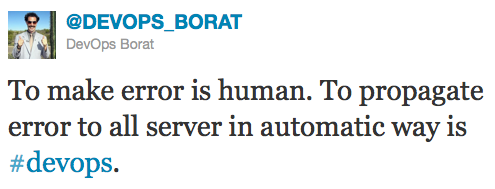
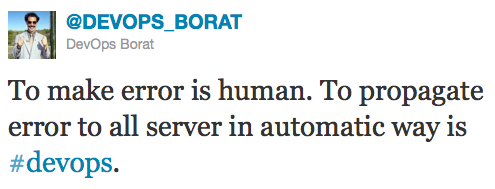
To make error is human. To propagate error to all server in automatic way is #DevOpsSome videos of my From Dev to DevOps talks. The slides are available at slideshare.

Español: Codemotion Spain 2012

Español: Conferencia Agile Spain CAS 2011

Français (-glish) (watch me butcher the French language): Paris JUG January 2012 at Parleys

MaestroDev named DevOps “Cool Vendor” by Gartner

MaestroDev logo

Warning, some self-promotion ahead! 🙂

Gartner has published their annual list of Cool Vendors, including a section for DevOps, where we are one of the 5 selected companies.

Not a big fan of this analyst things, but quite proud of being included in such a short list, right next to the people from CFEngine, Opscode and Puppet Labs, that are very active on the DevOps space and, in the case of PuppetLabs, whose products we use heavily for automation.

MaestroDev, an innovation leader in DevOps Orchestration, has been included in the list of “Cool Vendors in DevOps, 2012” report by Gartner, Inc.

And thanks to our great customers too!

Keith Campbell, CTO, Informatics, said “The Maestro product has automated our build process all the way through packaging. We are using our same toolset, but the Maestro Composition engine gives us consistency and speed that we did not have before. With Maestro, we are planning our development-cloud environment as well — reducing our build cost even further because we can dynamically integrate hybrid resources and external services into our workflows.”

You can check out the rest of the press release at the MaestroDev blog, and the Gartner Cool Vendors report.

Automatically download and install VirtualBox guest additions in Vagrant

So, are you already using Vagrant to manage your VirtualBox VMs?

Then you probably have realized already how annoying is to keep the VBox guest additions up to date in your VMs.

Don’t worry, you can update them with just one command or automatically on each start using the Vagrant-vbguest plugin.

Installation

Requires vagrant 0.9.4 or later (including 1.0)

Since vagrant v1.0.0 the prefered installation method for vagrant is using the provided packages or installers.

Therefore if you installed Vagrant as a package (rpm, deb, dmg,…)

vagrant gem install vagrant-vbguest

Or if you installed vagrant using RubyGems (gem install vagrant):

gem install vagrant-vbguest

Usage

By default the plugin will check what version of the guest additions is installed in the VM every time it is started with vagrant start. Note that it won’t be checked when resuming a box.

In any case, it can be disabled in the Vagrantfile

Vagrant::Config.run do |config|
  # set auto_update to false, if do NOT want to check the correct additions
  # version when booting this machine
  config.vbguest.auto_update = false
end

If it detects an outdated version, it will automatically install the matching version from the VirtualBox installation, located at

  • linux : /usr/share/virtualbox/VBoxGuestAdditions.iso
  • Mac : /Applications/VirtualBox.app/Contents/MacOS/VBoxGuestAdditions.iso
  • Windows : %PROGRAMFILES%/Oracle/VirtualBox/VBoxGuestAdditions.iso

The location can be overridden with the iso_path parameter in your Vagrantfile, and can point to a http server

Vagrant::Config.run do |config|
  config.vbguest.iso_path = "#{ENV['HOME']}/Downloads/VBoxGuestAdditions.iso"
  # or
  config.vbguest.iso_path = "http://company.server/VirtualBox/$VBOX_VERSION/VBoxGuestAdditions.iso"
end

If you have disabled the automatic update, it still easy to manually update the VirtualBox Guest Additions version, just running from the command line

vagrant vbguest

Learning Puppet or Chef? Check out Vagrant!

If you are starting to use Puppet or Chef, you must have Vagrant.

Learning Puppet can be a tedious task, getting up the master, agents, writing your first manifests,… A good way to start is using Vagrant, an Oracle VirtualBox command line automation tool, that allows easy Puppet and Chef provisioning on VirtualBox VMs.

Vagrant projects are composed by base boxes, specifically configured for Vagrant with Puppet/Chef, vagrant username and password, and anything else you may want to add, plus the configuration to apply to those base boxes, defined with Puppet or Chef. That way we can have several projects using the same base boxes shared where the only difference are the Puppet/Chef definitions. For instance a database VM and a web server VM can both use the same base box and just have different Puppet manifests, and when Vagrant starts them, it will apply the specific configuration. That also allows to share boxes and configuration files across teams, for instance having one base box with the Linux flavor used in a team, we can just have in source control the Puppet manifests to apply for the different configurations that anybody from Operations to Developers can use.

There is a list of available VMs or base boxes ready to use with Vagrant at www.vagrantbox.es. But you can build your own and share it anywhere, as they are just (big) VirtualBox VM files, easily using VeeWee, or changing a base box and rebundling it with vagrant package.

Usage

Once you have installed Vagrant and VirtualBox.

Vagrant init will create a sample Vagrantfile, the project definition file that can be customized.

$ vagrant init myproject

Then in the Vagrantfile you can change the default box settings, and add basic Puppet provisioning

config.vm.box = "centos-6"
config.vm.box_url = "https://vagrant-centos-6.s3.amazonaws.com/centos-6.box"

config.vm.provision :puppet do |puppet|
  puppet.manifests_path = "manifests"
  puppet.manifest_file = "site.pp"
end

In manifests/site.pp you can try any puppet manifest.

file { '/etc/motd':
  content => 'Welcome to your Vagrant-built virtual machine! Managed by Puppet.\n'
}

Vagrant up will download the box the first time, start the VM and apply any configuration defined in Puppet

$ vagrant up

vagrant ssh will open a shell into the box. Under the hood vagrant is redirecting the host port 2222 to the vagrant box 22

$ vagrant ssh

The vm can be suspended and resumed at any time

$ vagrant suspend
$ vagrant resume

and later on destroyed, which will delete all the VM files.

$ vagrant destroy

And then we can start again from scratch with vagrant up getting a completely new vm where we can make any mistakes 🙂

Introduction to Puppet

Enough about philosophical posts, let’s get started with some practical Puppet.

Manifests

Puppet configuration files are called manifests, written in a ruby-like DSL. Puppet provides types and functions to manage typical resources (files, services, users, groups,…) and new ones can be defined through extensions called modules.

The standard types that can be used are listed in the Puppet reference. There is a cheat sheet available (pdf) with the main ones.

The resources are grouped in classes, that can later be easily reused.

class 'maven' {
  exec { 'maven-untar':
    command => 'tar xf /tmp/x.tgz',
    cwd     => '/opt',
    creates => "/opt/apache-maven-${version}",
    path    => ["/bin"],
  } ->
  file { '/usr/bin/mvn':
    ensure => link,
    target => "/opt/apache-maven-${version}/bin/mvn",
  }
  file { '/usr/local/bin/mvn':
    ensure  => absent,
    require => Exec["maven-untar"],
  }
  file { "${home}/.mavenrc":
    mode    => '0600',
    owner   => $user,
    content => template('maven/mavenrc.erb'),
    require => User[$user],
  }
}

Infrastructure IS code, for example we can specify that we want the openssh-server package installed

package { 'openssh-server':
  ensure => present,
}

Declarative model

Puppet uses a declarative model, where we define state, not process. We define that a service must be running and puppet will start it if not running, or do nothing if it already is.

service { 'ntp':
  name   => 'ntpd',
  ensure => running,
}

There is no scripting, we don’t make the service start, just define whether it should be running. This is key to understand how puppet works. A side effect is that variables can only be assigned once, so they are pretty much like constants.

Architecture

Puppet is arranged in a master – agent architecture.  The master serves the manifests and files, and the agents poll the master at specific intervals of time to get their configuration. The master does not push anything into the client.

Agents identify with the master using SSL, so the first time an agent tries to connect to the master, the agent certificate needs to be approved (in the default configuration), and that’s usually a source of problems.

File structure

Puppet configuration files are usually in /etc/puppet.

The main files in there are manifests/site.pp which defines the configurations, and the manifests/nodes.pp that defines how those configurations apply to the different nodes or agents, based on their hostname, generally, or other properties.

Site

class 'dave' {
  user { 'dave':
    ensure     => present,
    uid        => '507',
    gid        => 'admin',
    shell      => '/bin/zsh',
    home       => '/home/dave',
    managehome => true,
  }
  file {'/tmp/test1':
    ensure  => present,
    content => "Hi.",
  }
}

Nodes

node 'someserver.domain.com' {
  class { 'dave': }
}

More information

More information about types, resources, manifests, variables,… at learning puppet from PuppetLabs.

Infrastructure as Code

DevOps is not about the tools

That’s true, in the same way that agile is not about the tools either, it’s a set of ideas, concepts, best practices,…

Nice, but… how can I successfully implement it?

Tools can enable change in behavior and eventually change culture [Patrick Debois]

Printer in 1568

The same way the Guttemberg printer was a tool that enabled a cultural change, or that Agile development wouldn’t be possible without Continuous Integration servers, DevOps relies on some tools to implement its principles.

Unfortunately, the same way everyone thinks of themselves as being intelligent enough, and every tool out there is magically cloud enabled, now every tool claims to be DevOps.

However, there is agreement that tools that allow us to deal with infrastructure as code are key on implementing DevOps concepts.

It’s all been invented already, now it’s standardized with tools like Chef or Puppet. Before, you could write your own scripts to automate server installation, configuration,… but everyone would do it their very own way.

Now there’s some common language used by Puppet or by Chef, that allows to share and reuse configuration as modules or recipes.

Infrastructure as Code, a key concept

The concept that infrastructure should be treated as code is really powerful. Server configuration, packages installed, relationships with other servers,… should be modeled with code to be automated and have a predictable outcome, removing manual steps prone to errors. Doesn’t sound bad, does it?

But new solutions bring new challenges, and when infrastructure is code we face the same problems faced by developers.

  • What version of the infrastructure are we using in production?
  • how can we ensure that when an issue is found it gets fixed and redeployed?
  • how can we test the infrastructure as we develop it?

That’s why when dealing with infrastructure as code we should follow development best practices.

For instance we can (and should!)

  • tag, branch and release the code that define our servers.
  • have a lifecycle that covers different stages through the infrastructure code, ie. dev, QA, production.
  • continuously test our infrastructure as we make changes.

Is DevOps killing the Operations team?

To make error is human. To propagate error to all server in automatic way is DevOpsHearing everywhere about DevOps and how it is all about automation, and how manual steps should be removed from Operations. Starting to worry about your OPs job?

On one hand, yes, you should worry.

My job is to make other people’s jobs unnecessary.

While I was working on Maven the goal was to automate and standardize all the build steps so there’s no more need to have a magician build master that is the only one that knows how to build the software. All Maven projects are built in the same way and there’s no need to do any manual step. That ended the build master job in many companies as they knew it. Those that were interested enough moved on to do more useful tasks, like setting up continuous integration servers, integrating new quality assurance tools, adding metrics,…

So, on the other hand, no, you shouldn’t worry as long as you want to explore new areas, because there’s still plenty to improve. Stop doing tedious manual tasks and focus on what’s really important.

You should just worry about the NOOPS guys 😉